New Built for iPhone and iPhone Duo NextRam

Every flight, stay and booking from your inbox. On one map.

Forward your booking emails and NextRoam builds the whole trip: flights in order, where you're sleeping each night, and the gaps you still need to fill. Then share it with the people you're travelling with.

Explore a sample trip before you add your own. iOS 18 or later.
βœ‰οΈ Forward a booking email ✈️ Flights, in order πŸ›οΈ Every night covered πŸ“ Live map for your group πŸ“Έ A journal that writes itself
Journey

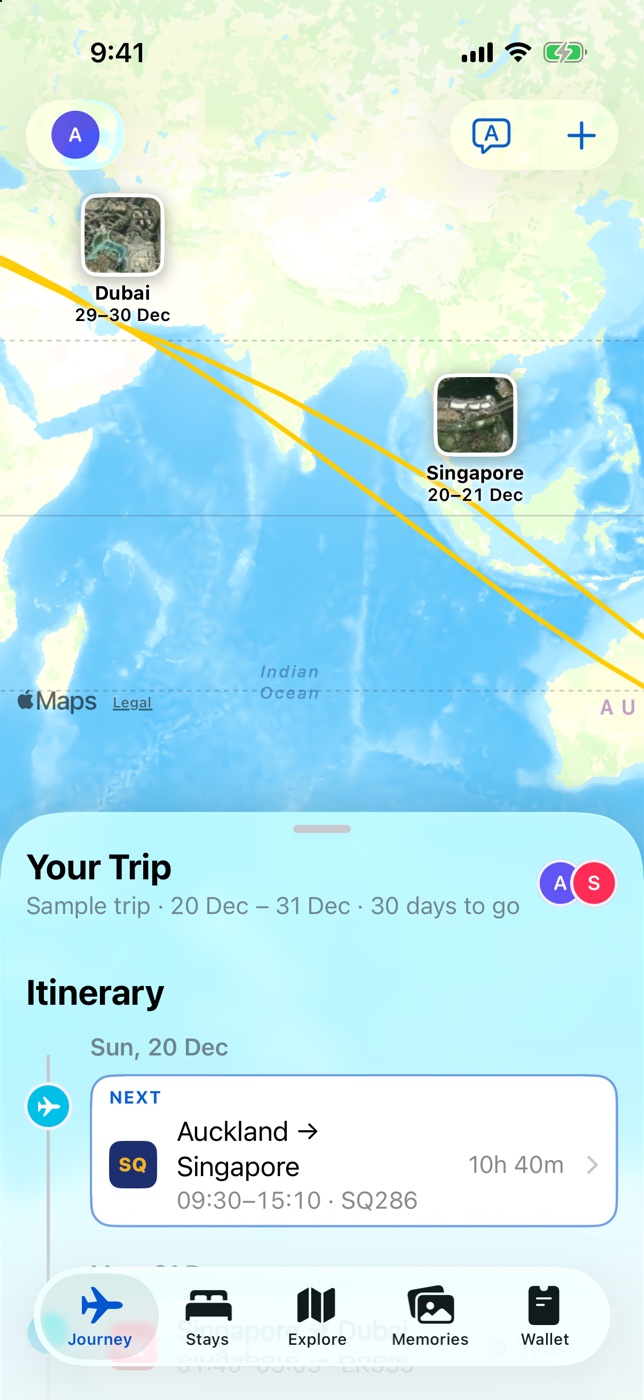
Your whole trip, on one map.

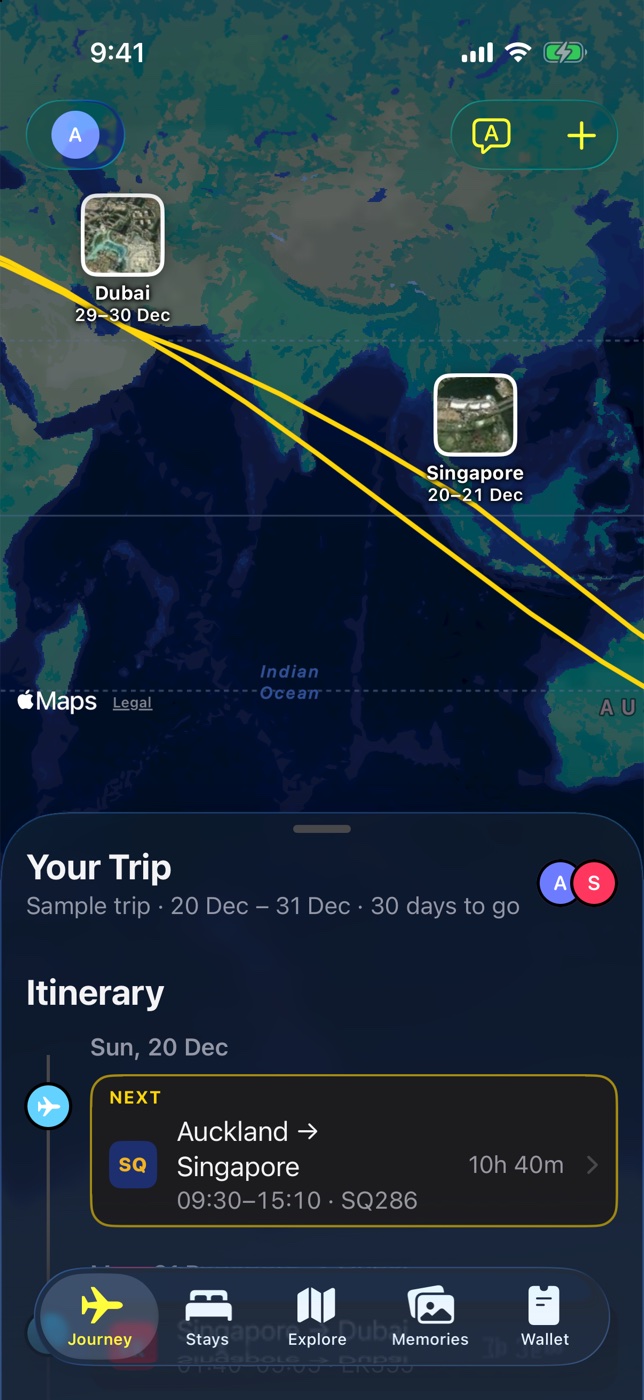
Every leg is drawn across the world, with the next flight on top. Tap any flight for gates, seats, weather at the other end and how long until you board.

  • Forward a confirmation and it lands on your timeline
  • Times shown in each airport's own time zone
  • Live Activity on your Lock Screen on travel day
NextRoam Journey tab: a world map with the route from Auckland through Singapore, Lisbon, Heraklion and Dubai, and the itinerary below
Stays

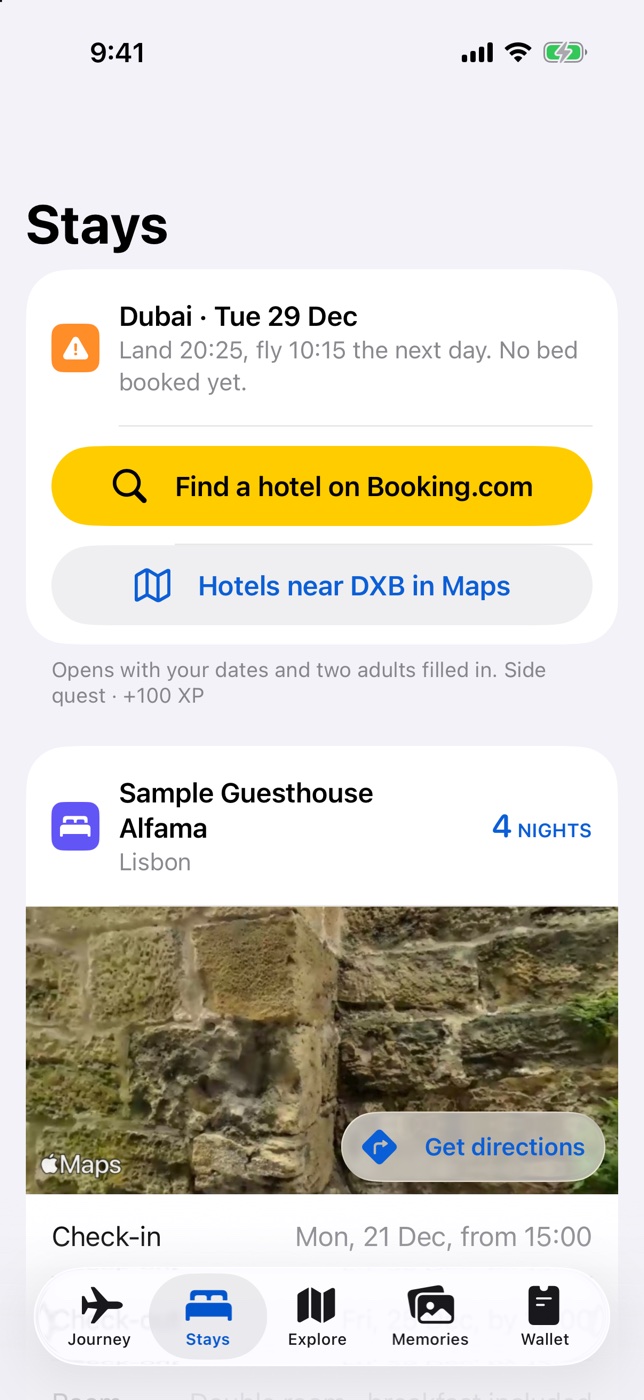
Know where you're sleeping. Every night.

NextRoam spots the nights with no bed booked, like a late landing before an early connection, and finds a hotel near the airport with your dates already filled in.

  • Check-in times, room and address for every stay
  • Look Around and directions in one tap
  • Gaps flagged before they become a problem
NextRoam Stays tab: a warning that no bed is booked in Dubai, with a button to find a hotel, and a guesthouse in Lisbon
Together

See where everyone is.

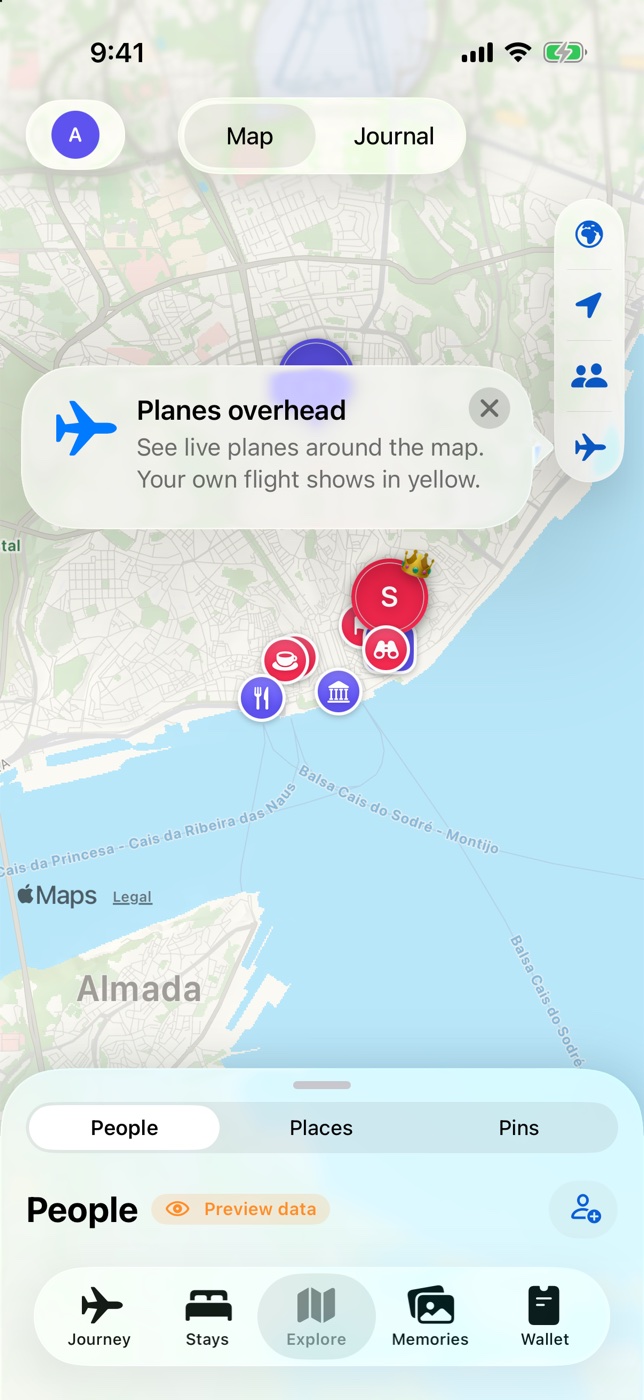
On a shared trip, everyone shows up on one live map, only while they've switched sharing on. Save cafΓ©s and sights for the group, drop pins, and watch the planes overhead.

  • Live locations, only with the people on your trip
  • Places and pins the whole group can see
  • Split costs as you go
NextRoam Explore tab: a map of Lisbon with the travellers, saved places and a planes-overhead tip
Memories

A journal that writes itself.

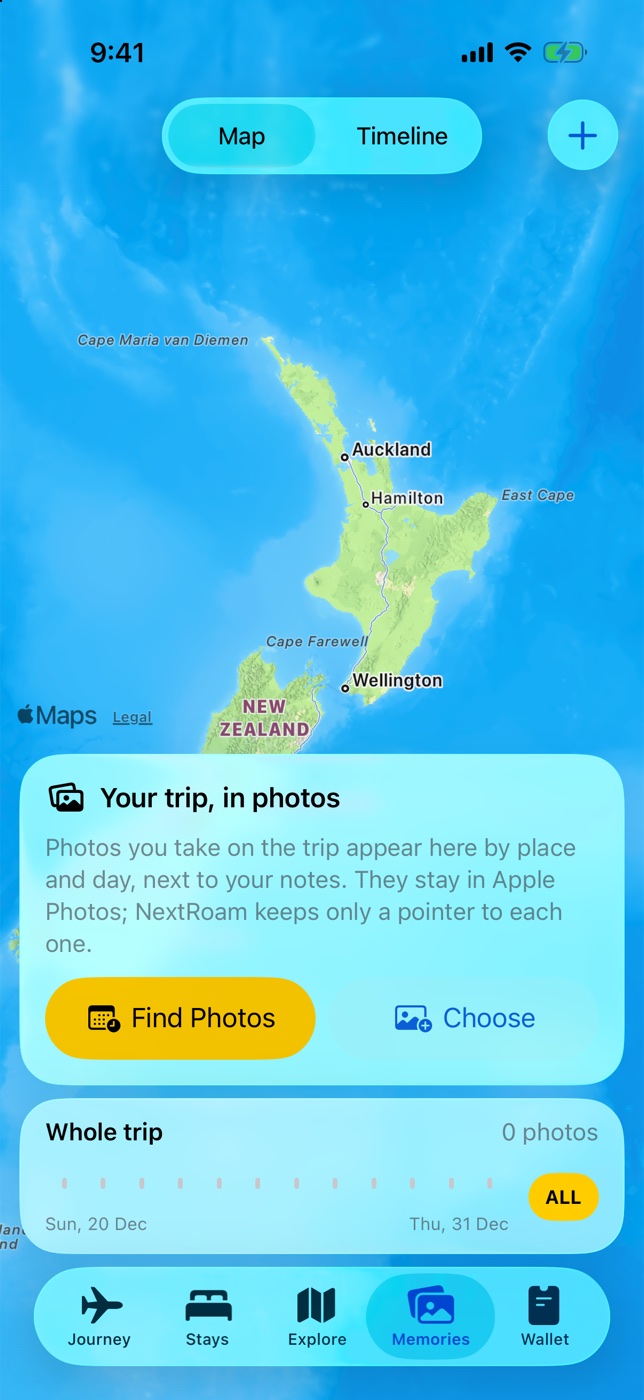
The photos you take on the trip appear on the map and day by day, next to your notes. They stay in your photo library; NextRoam keeps only a pointer to each one.

  • Photos grouped by place and day
  • Scrub through the whole trip on a timeline
  • Nothing uploaded, nothing copied
NextRoam Memories tab: a map of New Zealand with a card to find the trip's photos and a whole-trip timeline
Wallet

Booking references, right where you need them.

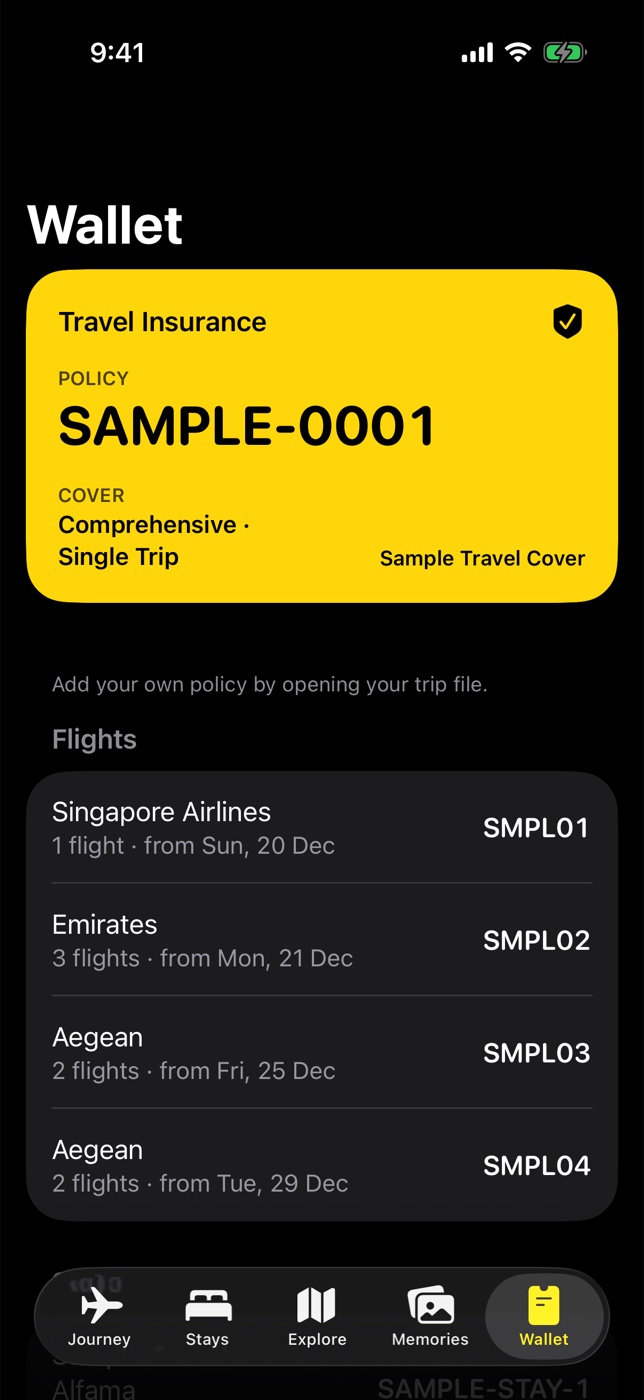
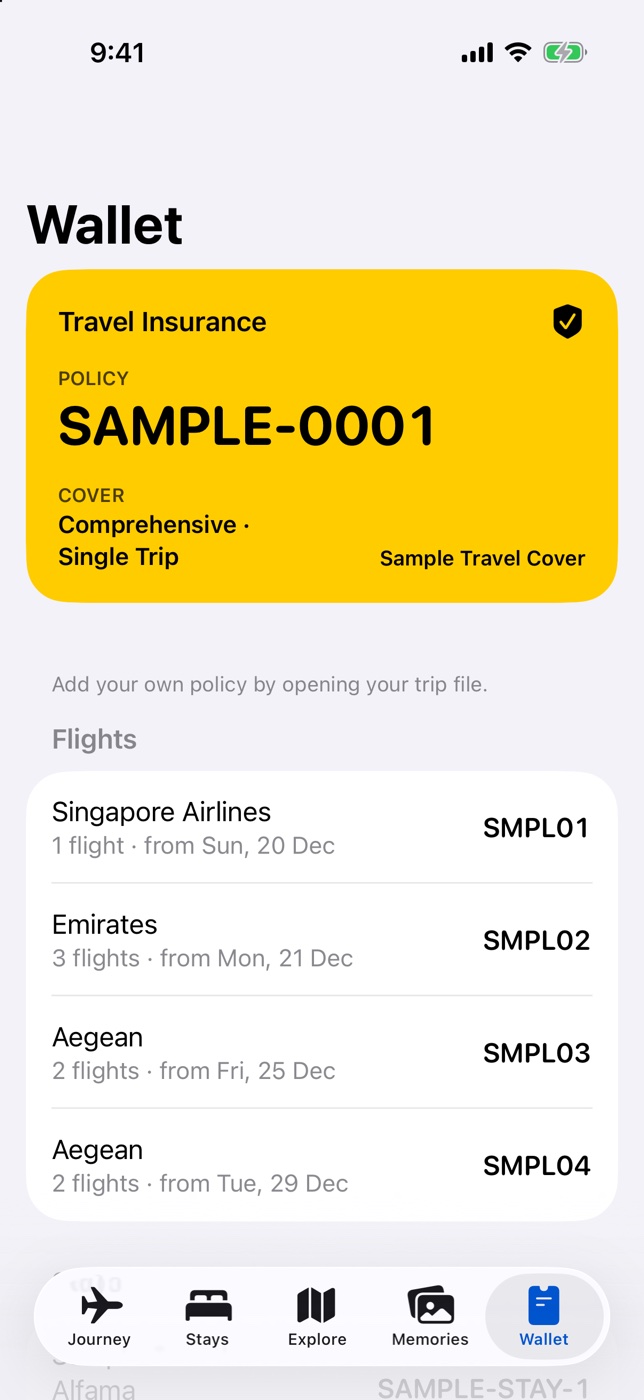
Every airline and hotel reference, and your travel insurance, in one place. Ask Siri "When's my next flight?" or open it from Control Center.

  • References grouped by airline and stay
  • Insurance policy and cover on a card
  • Siri, Shortcuts and Lock Screen controls
NextRoam Wallet tab: a yellow travel insurance card and booking references for Singapore Airlines, Emirates and Aegean
iPhone Duo

Unfold the whole trip.

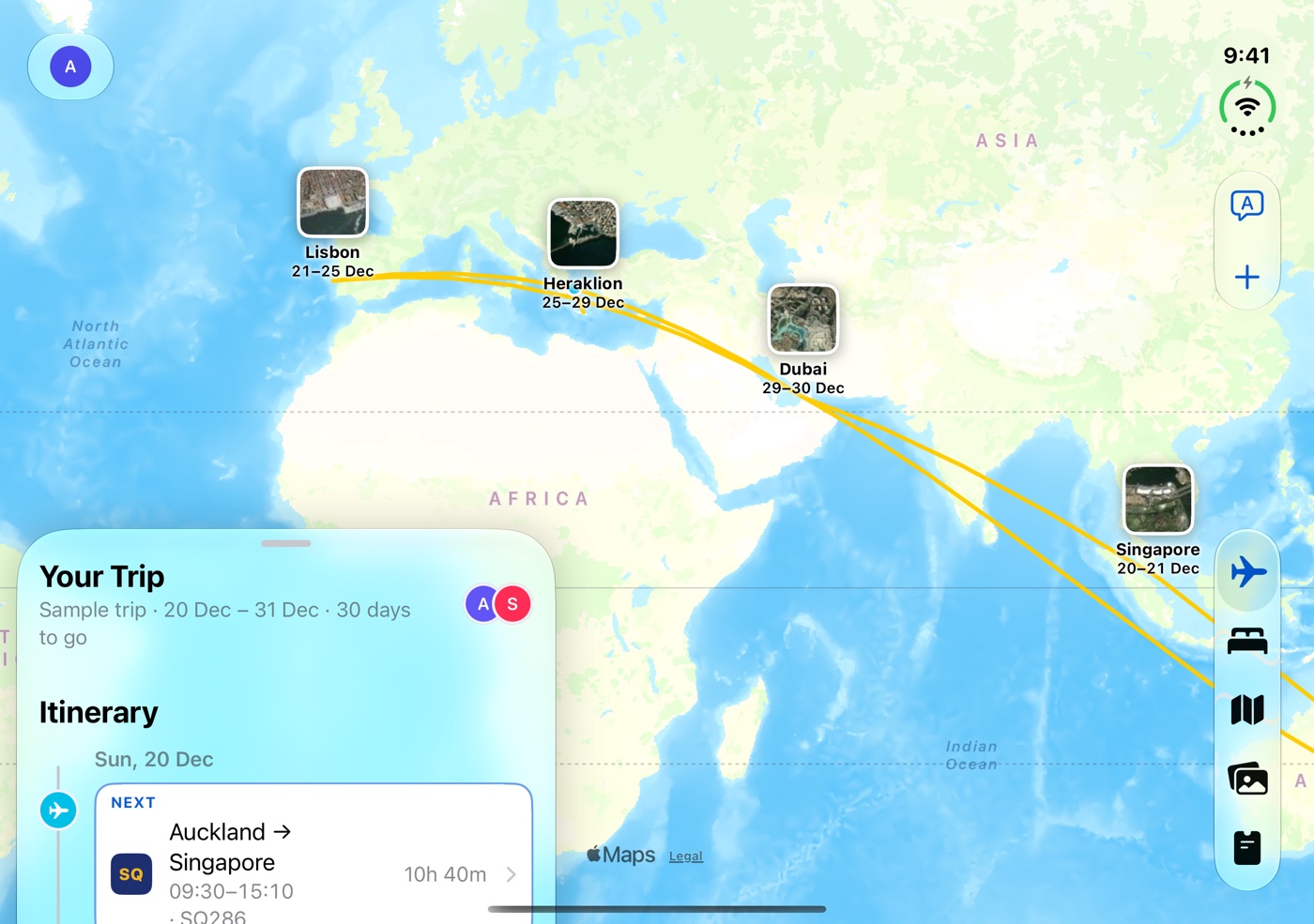
Open iPhone Duo and NextRoam spreads out: the map takes the full screen and your itinerary moves into a card at the side. Fold it again and everything slides back into place.

NextRoam on an unfolded iPhone Duo: the route from Lisbon to Singapore fills the screen, with the trip itinerary in a card on the left
Map firstThe route is framed in the space beside the card, clear of the controls.
Fold or unfold any timeThe layout follows the screen as it changes size.
Fits the cover screenFolded, the full app works on the outer screen too.

And everything else a trip needs.

βœ‰οΈ

Build a trip from email

Forward bookings to your private address. With your permission, Claude reads them and NextRoam puts the trip together.

🎫

Boarding passes

Scan the barcode on your pass to add your seat. It's read on your iPhone.

🌀️

Weather at every stop

A 12-hour forecast, UV and wind on each flight, stay and spot on the map.

πŸ•

Jet-lag readiness

Steps and sleep from Health next to advice for the next time-zone jump. Health data never leaves your iPhone.

🈯️

Translate

Point the camera at a menu or sign and translate it, offline once a language is downloaded.

🧳

Widgets and Live Activities

Your next flight on the Home Screen, Lock Screen and Dynamic Island.

Light and dark, with Dynamic Type and Increase Contrast.

Privacy

Your trip is yours.

NextRoam collects only what it needs to keep your bookings in one itinerary. No ads, no tracking, and we never sell your data.

Read the privacy policy
NextRoam app icon NextRam

Your next trip, all in one place.

Coming soon to the App Store